Admin Guide
Links and help resources
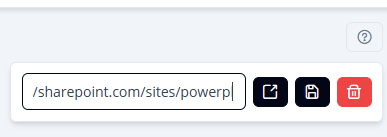
Impliancy allows administrators to configure custom links for each section.
These links help guide users to internal documentation, governance guidelines, or process instructions.
Where links appear
Links can be added to:
- Environments
- Apps
- Flows
- Desktop Flows
- Bots
Users will see the link directly within the relevant section by clicking on the question mark at the top right of the page ().
Common link examples
- Internal process for creating new environments
- Naming conventions for apps or flows
- Internal security or compliance guidelines
- Best-practice documentation
- Training resources
Managing links
Admins can:
- Add a link
- Update it
- Remove it
Changes apply immediately and help ensure consistent governance communication.